Should You Split Your XML Sitemaps? Here’s What Google Wants You to Know
- Utkarsh Singhai
- May 17
- 5 min read

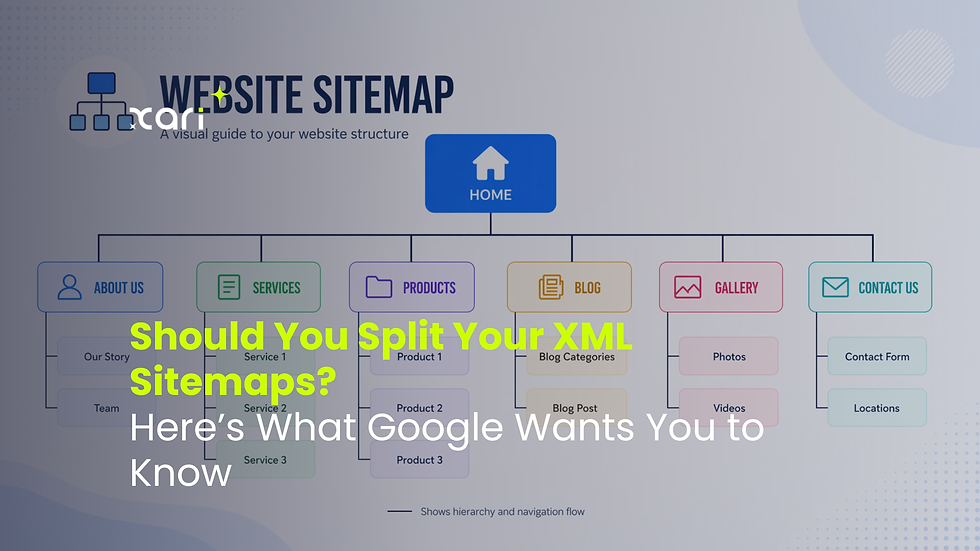
If you’re managing a growing website, you’ve likely wondered whether a single XML sitemap is enough, or if splitting your sitemaps could streamline indexing and boost efficiency. Google’s John Mueller consistently addresses these concerns, clarifying when dividing up sitemaps actually benefits your site—and when it’s unnecessary. In this guide, we’ll break down Google’s official advice, practical scenarios for splitting sitemaps, and actionable tips to help you decide what’s best for your website’s structure and crawlability.
What Google (and John Mueller) Says About Splitting Sitemaps
If you’re searching for Google’s official stance—or John Mueller’s seasoned advice—about splitting XML sitemaps, you’re not alone. For years, site owners and SEO professionals have debated whether splitting up a single sitemap into multiple files helps a website’s performance in Google Search. Here’s what Google actually says, and what leading voices suggest you prioritize.
Google’s official guidelines are straightforward: splitting your XML sitemap isn’t a ranking factor. Google doesn’t require sites to divide sitemaps unless you hit hard technical limits. According to Google’s Search Central documentation, each sitemap file can contain up to 50,000 URLs or be up to 50MB (uncompressed) in size. If your content exceeds either, you must split your sitemap files. For most small to medium websites, this technical barrier won’t even be an issue.
John Mueller, Google Search Advocate, often clarifies this on platforms like Twitter, Reddit, and in Google Office Hours. His repeated advice: “You don't need to split your sitemap unless you have a technical or organizational reason. Google can handle a single large sitemap just fine.” The real purpose of sitemaps is to help Google discover pages efficiently, not to micro-manage indexing. Splitting helps only when it aligns to a real site management need—like highlighting the most updated content or working around platform restrictions.
Key takeaways:
Splitting XML sitemaps is optional—not a requirement for SEO or indexing.
Use multiple sitemaps if you have over 50,000 URLs per file or if the file exceeds 50MB.
Organizational purposes, like separating product and category URLs, are acceptable but not mandatory.
Google’s crawlers treat single and split sitemaps the same, provided both are accurate and kept up to date.
Ultimately, focus on sitemap quality and relevance. Google cares far more about whether your sitemap lists real, indexable pages and is kept current, rather than how you split the files.
When Splitting Sitemaps Makes Sense: Technical and Organizational Factors
Understanding why and when to split your XML sitemaps can make managing your site simpler, especially as you scale. Let’s break down the common technical and organizational factors that influence this decision—and why sometimes, a single sitemap just doesn’t cut it.
1. File Size and URL Limits
Every XML sitemap comes with hard caps: 50,000 URLs per file or a maximum uncompressed size of 50MB. Exceed either, and you’re forced to split. For growing ecommerce stores, news portals, or content-heavy sites, hitting these thresholds happens sooner than you think.
Example: If you’re an online retailer with tens of thousands of product SKUs, those listings alone can bust the 50,000 URL limit. Splitting by product category or brand prevents bloated files—and keeps things tidy.
Performance boost: Smaller sitemap files help your server handle requests faster, minimizing timeouts and errors when Google or Bing crawls your site.
2. Easier Content Management
Organizing sitemaps isn’t just about numbers. Splitting by content type (products, blog posts, landing pages, categories) brings several advantages:
Targeted updates: Frequently updated or dynamic sections (like “New Arrivals” or “Deals”) benefit from having their own sitemaps. When only a portion of your site changes regularly, resubmitting a smaller, specific sitemap ensures Google gets the freshest updates without needing to crawl less relevant sections.
Faster troubleshooting: If you spot indexation issues, narrow sitemaps make pinpointing and fixing errors far more manageable. Instead of wading through thousands of unrelated URLs, you’re working with tight, topic-specific lists.
3. Automation and Freshness
With modern CMS tools or plugins, you can automate sitemap updates and splits based on your publishing habits. Set up rules to auto-generate and refresh sitemaps whenever you add or update key content. This is especially useful for:
News websites: Articles get indexed quicker if submitted to a dedicated “news” sitemap that’s refreshed minute-by-minute.
Seasonal promotions: Separate sitemaps for time-sensitive campaigns keep Google focused on what matters most, exactly when you want it.
Grouping by purpose and using automated refreshes aren’t just “nice-to-haves”—they can be difference-makers for staying competitive in search.
Legacy Systems, Automation, and Site Complexity: Deciding Factors
Some websites don’t just benefit from split sitemaps—they require it due to the technical baggage or sophisticated needs baked into their infrastructure. Here’s how specific situations can govern your sitemap structure.
Legacy CMS Platforms
Older content management systems may set strict limits or lack flexibility in handling large or mixed-content sitemaps. You might encounter scenarios where:
Built-in Restrictions: Your CMS might only support sitemaps by content section—forcing separation for posts, pages, and products by default.
Manual Updates: Older platforms may require you to manually regenerate or upload sitemaps, making it easier to work with segmented files.
File Path Issues: Some legacy systems limit where sitemaps can be stored or accessed, adding extra friction if your structure grows unwieldy.
Automated Tools and Workflow Integration
Modern automation tools or plugins drastically change the sitemap game. They can:
Dynamically generate multiple sitemaps on the fly, based on content type, frequency of updates, or taxonomy.
Sync with your deployment processes, auto-refreshing only the affected sitemaps after each content push.
Reduce human error by splitting sitemaps according to pre-set rules, rather than relying on manual edits.
Complex, Multi-Segment Sites
Websites with multiple business units, distinct content hubs, or varied technical stacks often settle on a split-sitemap structure out of operational necessity:
Internationalization: If your site spans multiple countries and languages, creating a separate sitemap per locale keeps indexation focused. It’s also easier to troubleshoot local search issues.
Custom Workflows: Businesses with custom, API-driven publishing flows or partial static sites (like hybrid JAMstack setups) often generate sitemaps per subdomain or vertical—because one-size-fits-all simply doesn’t work.
In short: Your choice often boils down to what your platform or workflow dictates, not just what’s theoretically ideal. Embracing split sitemaps in these cases is about playing to your tech’s strengths (and working around its quirks).
How to Decide: Actionable Tips for Your Sitemap Strategy
Figuring out whether to split your XML sitemaps doesn't have to be a guessing game. To keep things simple—and aligned with Google’s best practices—follow this straightforward framework built around your site’s unique footprint and operational demands.
Sitemap Splitting Checklist
Ask yourself the following:
Do you have more than 50,000 URLs or routinely bump up against the XML sitemap file size limit (50MB uncompressed)?
Yes: Split your sitemap files by logical groupings (e.g., by product, category, or section).
Does your site see frequent changes in only certain sections (like promotions or news)?
Yes: Consider dedicated sitemaps for those areas to keep Google updated without unnecessary noise.
Are you managing a multi-language, multi-country site or distinct business units from one domain?
Yes: Assign individual sitemaps per locale or business division.
Is your CMS, automation setup, or workflow better suited to generating multiple sitemaps?
Yes: Let automation dictate structure, as long as each sitemap remains current and accurate.
Do you regularly troubleshoot indexation problems or need to closely track crawling?
Yes: Narrower, segmented sitemaps make diagnostics and reports much easier.
Sitemap Best Practices: Do’s and Don’ts
Do:
Keep all sitemaps error-free and free of broken/redirected URLs.
Update sitemaps promptly when you add or remove important pages.
Submit your sitemap index (a file referencing all your sitemaps) to Google Search Console for full coverage and visibility.
Group URLs logically—by type, update frequency, or section—if it streamlines your workflow or improves troubleshooting.
Regularly monitor indexing statistics in Google Search Console for each sitemap submitted.
Don’t:
Don’t split sitemaps purely for aesthetic reasons or based on arbitrary rules if there’s no technical or operational value.
Don’t include unnecessary or low-value URLs (like duplicate, filtered, or expired pages).
Don’t neglect updating your sitemaps—a stale file does more harm than good.
Don’t forget to resubmit your sitemap index after structural changes.
A clear, organized sitemap strategy means less time managing files and more time improving genuinely impactful aspects of your site.



Comments