Are You Using GA4’s Scenario Planner for Smarter Cross-Channel Budget Forecasting Yet?


In the fast-evolving landscape of digital advertising, planning and optimizing budgets across multiple channels can feel like steering a ship in changing weather. Enter Google Analytics 4’s (GA4) scenario planner and projections tools—a coordinated duo designed to bring insight and clarity to your cross-channel budgeting. Whether you’re looking to model campaign scenarios ahead of launch or monitor performance as you go, understanding these model-driven GA4 features can elevate your decision-making. This guide dives into how these tools work, which metrics they estimate, and how to harness their full power—across both Google and non-Google channels—while staying alert to their data requirements and practical limitations.
Demystifying GA4’s Scenario Planner: Pre-Campaign Modeling for Advertisers
Every marketer faces the perennial challenge: “If I change my budget, what’s really going to happen?” GA4’s scenario planner finally helps quantify that unknown—right at the crucial pre-campaign stage. Rather than relying on gut instinct or single-channel estimates, GA4’s scenario planner provides model-driven forecasting, tapping into your historical data to sketch probable outcomes across all connected channels.
How the Scenario Planner Works
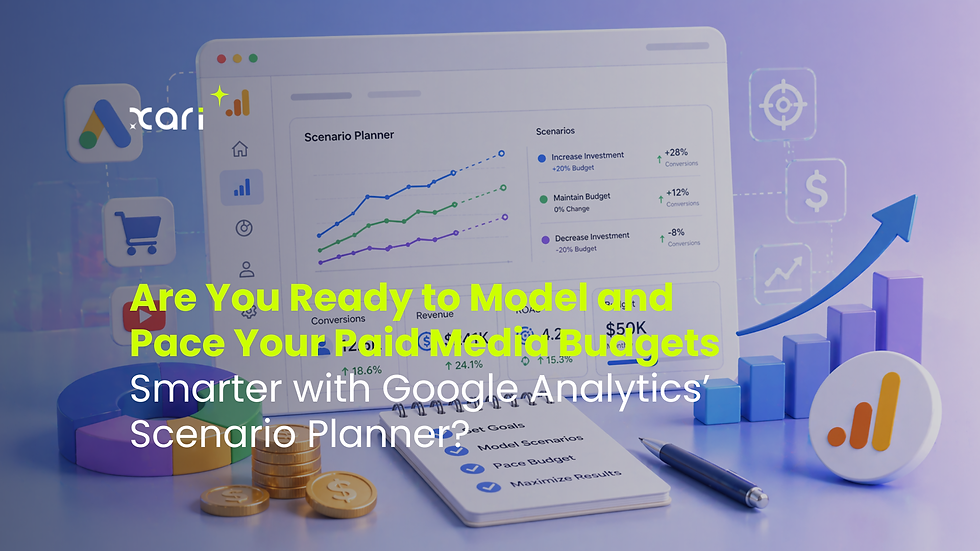
The scenario planner in Google Analytics 4 (GA4) leverages your site’s or app’s past performance data to create “what if” budget models for your planned campaigns. Plug in potential spend levels, adjust assumptions, and instantly see projections for conversions, revenue, and even ROI across your cross-channel mix—not just for Google Ads, but for any paid traffic source with robust tracking.
Unlike standard budgeting tools that simply multiply last month’s ratios, GA4’s scenario planner applies machine learning models to predict how various changes—like increasing search spend, reallocating to social, or trimming display outlay—could influence overall results. This means forecasts reflect underlying user behavior patterns and seasonality baked into your data, not just straight-line extrapolations.
Forecasted Metrics and How to Use Them
Key forecasted metrics include:
Projected conversions: Estimate how many leads, signups, or sales your campaign might drive at different investment levels.
Projected revenue: Forecast the potential return, factoring in average order value and conversion rates.
Estimated ROI: Get a directional sense of how spend translates to profit, helping you allocate more confidently.
Cross-channel impact: If you’re running campaigns on Google, Facebook, and another platform, the planner models interdependencies—e.g., whether a Facebook budget increase boosts or cannibalizes organic and paid Google results.
Directional, Not Deterministic
It’s important to treat these forecasts as directional guides, not guarantees. The scenario planner looks at patterns in your historical data and simulates possible outcomes, but can’t eliminate uncertainty—especially if your tracking setup changes or your offer shifts radically. Treat its output as a launchpad for discussion, not the final word.
By blending reliable analytics with practical forecasting, GA4’s scenario planner gives advertisers a tangible edge before the first dollar leaves your account—laying the groundwork for a smarter budget strategy, campaign after campaign.
Using Projections for Real-Time Campaign Assessment and Adjustment
Once campaigns are live, goals can quickly drift off course if you’re only relying on static projections. This is where GA4’s real-time projections tool shines—bridging the gap between initial planning and day-to-day results with actionable, ongoing intelligence.
Turning Real-Time Data Into Immediate Insights
GA4’s projections evaluate how your campaigns are truly performing against your modeled scenarios. By pulling in current conversion, cost, and engagement data, GA4 updates forecasts continuously. This isn’t a post-mortem; it’s a living feed, letting you catch underperformance early or capitalize on unexpected surges without delay.
Key Real-Time Workflows in GA4
1. Compare Projected vs. Actual Performance
Instantly see if conversions, revenue, or ROI are exceeding, meeting, or falling short of your plans.
GA4 charts and dashboards visualize gaps, helping you spot trends—good or bad—before the month is over.
2. Adapt Budgets on the Fly
If a particular channel is outperforming (or lagging), shift allocations in near real-time, rather than waiting for next quarter’s reporting cycle.
Use scenario updates to test what-if adjustments based on new, real-time data: For example, “What happens if we move 20% of our display budget to paid social this weekend?”
These on-the-spot models reflect actual user behavior, not old assumptions, letting you respond—rather than just react—to changes in market sentiment.
3. Cross-Team, Cross-Platform Coordination
Share projections with your entire team via GA4’s collaborative features.
Align budget shifts with paid search, social, and display teams—keeping everyone working from the same, real-world playbook.
Making GA4 Projecting Work For You
The real magic is in how seamless it becomes to integrate high-quality GA4 projections into your regular campaign management. Instead of sifting through siloed spreadsheets or manually updating pivot tables, your most up-to-date numbers are available in one place, ready to drive smarter, faster decisions.
By using GA4 projections as your campaign compass, you turn on-the-go data into meaningful, strategic budget adjustments across every paid channel in your mix.
Cross-Channel Intelligence: Leveraging Insights Beyond Just Google Campaigns
Smart advertisers rarely put all their chips on a single channel. Today, most teams manage a patchwork of platforms—think Google Ads, Facebook, Instagram, Programmatic Display, and more. GA4’s scenario planner and projections aren’t built just for Google’s ecosystem; they unlock unified cross-channel reporting, bringing every paid strategy onto the same, actionable dashboard.
Unified Insights Across Every Channel
GA4 pulls in performance and spend data from any channel you track, not just Google-owned properties. With proper setup, you can forecast how shifting budget between platforms might change total conversions or revenue, and monitor in real time how each paid channel stacks up against your KPIs side-by-side. This unified reporting gives you:
A 360° view of your cross-channel performance, reducing blind spots and duplicated spend.
Consistent budget modeling for both Google and non-Google campaigns, so decisions made in one place immediately reflect across your full marketing mix.
Simplified reporting for teams juggling multiple platforms—eliminating the need to wrangle spreadsheets or pull manual data from four different tools.
Eligibility and Data Requirements
Not everyone can jump into cross-channel forecasting on day one. To use GA4 scenario planning and projections effectively, your property must meet a few foundational requirements:
At least one year of reliable conversion data—this allows GA4’s models to establish trends and patterns, so forecasts are grounded in real behavior rather than noisy estimates.
Cost data integration for at least two paid channels—you’ll need to import or automatically sync ad costs for non-Google platforms (like Meta, LinkedIn, or TikTok) if you want truly unified analysis.
Robust tracking for both clicks and conversions—gaps or inaccuracies in event or conversion tracking undermine forecast quality for all connected channels.
Why Accurate Tracking Matters
If your tracking is shaky—missed conversions, misattributions, or inconsistent UTM tagging—GA4’s cross-channel intelligence won’t deliver reliable insights. Investing upfront in robust tagging and data hygiene pays exponential dividends when you start modeling and adjusting budgets across multiple platforms.
By meeting these eligibility requirements, you unlock the real power of GA4: using modern analytics to plan, project, and optimize every paid campaign from a single, unified view.
From Insight to Action: Smarter, More Unified Budgeting in GA4
Bringing campaign planning and performance measurement together inside GA4 does more than save time—it transforms how teams set, track, and adjust budgets. When forecasts and real results live in one modern analytics environment, your decisions aren’t just faster—they’re meaningfully linked, following a logic that adapts as your business and the digital market evolve.
Benefits of Unified GA4 Budgeting
1. Linked Decision-Making
With planning and performance data side-by-side, updates to your strategy ripple instantly through your forecasts. No more lag between briefing, execution, and optimization.
Teams align around shared goals. Paid search, social, and analytics leads can see the same projected outcomes and actuals, leading to less confusion and faster pivots.
2. More Informed Resource Allocation
See where dollars can be moved for the biggest impact—not just within a single platform, but across the whole paid ecosystem.
Spot patterns and outliers early, adjusting spend before wasted impressions or missed opportunities pile up.
3. Single-Source Reporting
Cut down on back-and-forth between analytics dashboards. With GA4, your scenario planning and live monitoring use the same definitions and timeframes for every channel.
Practical Challenges and How to Navigate Them
This unified approach is powerful, but it’s not immune to practical hurdles. Some core limitations to keep in mind:
Data Quality
Incomplete or inaccurate analytics data (due to missing tags, third-party cookie restrictions, or user consent issues) can degrade the quality of both forecasts and live results.
Tip: Build a regular process to audit key conversion events and data imports. Consider server-side tagging or tools that help safeguard data continuity as privacy expectations shift.
Attribution Modeling
GA4 relies on data-driven attribution for modeling, which might not always align with your internal revenue accounting—especially for channels with long conversion cycles.
Tip: Review attribution settings periodically with your analytics team and test sensitivity by modeling with alternate attribution types if possible.
Tracking Gaps
Failure to tag all paid sources or inconsistent cost imports from non-Google channels leaves holes in your cross-channel intelligence.
Tip: Use automated import connectors or dedicate resources to regular manual checks, so every channel gets full credit (and scrutiny).
Unifying budgets and results in GA4 leads to decisions grounded in evidence, not just instinct. The advertisers who get the most from these tools are those who treat clean data and holistic, ongoing measurement as non-negotiable foundations for growth.
Comments