Are You Ready to Model and Pace Your Paid Media Budgets Smarter with Google Analytics’ Scenario Planner?

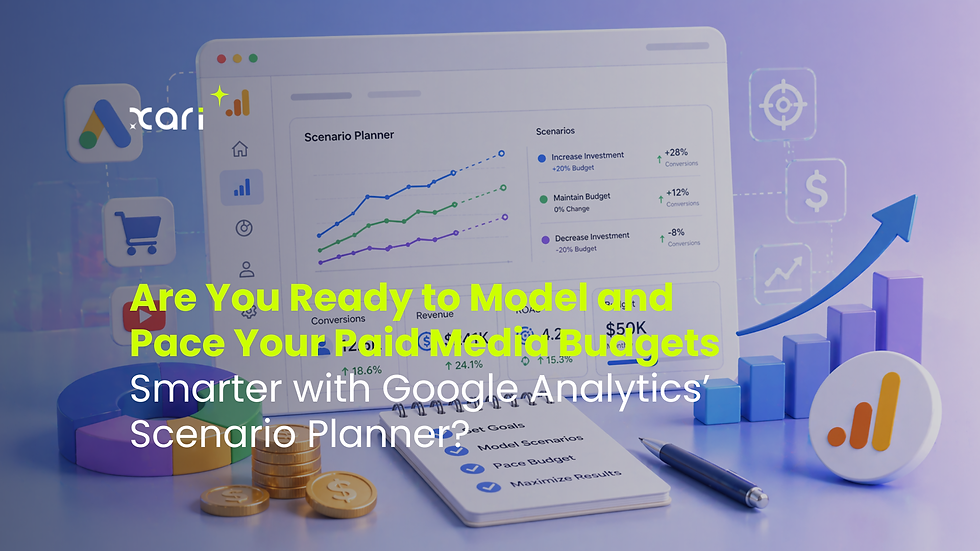
Paid media budgets don’t have to feel like a guessing game—especially now that Google Analytics introduces Scenario Planner and Projections. For marketers managing multiple ad platforms, these tools empower you to experiment, forecast, and optimize your cross-channel spend before your campaigns ever go live, and track if you’re on pace as your campaigns unfold. In this post, we’ll guide you through what Scenario Planner and Projections actually do, how to get your data set up for access (and why it matters), and how both legacy and non-Google ad channels fit into this smarter planning workflow.
What is Google Analytics’ Scenario Planner—and What Can It Do for Cross-Channel Paid Media?
Scenario Planner in Google Analytics is a dynamic tool built for marketers who need more than spreadsheet guesses—especially those responsible for maximizing budgets across Google, Meta, LinkedIn, and programmatic platforms. Its core function? Simulating different budget and performance outcomes before money hits any ad channel.
How Does Scenario Planner Work?
At its heart, Scenario Planner lets you build and compare "what if" situations for campaigns. Want to see what happens if you shift 30% of your budget from Google Ads to Facebook? Or test if doubling your spend on Display could really lift conversions without tanking your ROAS? Scenario Planner models these scenarios side-by-side using your actual channel data.
Supported Channels and Integration:
Out of the gate, Scenario Planner works best when your Google Analytics property is properly integrated with multiple ad accounts. It natively pulls in Google Ads but also supports non-Google channels like Meta Ads and Microsoft Ads—if you’ve set up those cost and click integrations correctly. This is where the tool truly stands out: its cross-channel modeling capability gives a unified view, so you can compare, shift, or rebalance budget even between platforms that normally don’t “talk” to each other.
Key Metrics and Simulation Options
Customizable KPIs: You can choose which KPIs to focus on—Clicks, Impressions, Cost, Conversions, or ROAS—so you’re not boxed into a single definition of success.
Flexible Time Frames: Test scenarios weekly, monthly, or over full campaigns to spot peaks, gaps, or risky pacing.
Channel-Specific and Combined Views: See individual platform projections, or model your entire paid media mix. Crucial for marketers balancing Google, Meta, and other channels.
Scenario Planner takes your historical performance, overlays it with your experimental budget allocations, and rapidly visualizes expected results. It’s about moving away from reactive budget moves toward truly predictive, data-driven planning. This empowers you to lead with confidence—knowing you’re maximizing every dollar across the full breadth of your paid media ecosystem.
Meet Projections: Keeping Your Campaigns on Track in Real Time
Projections in Google Analytics take smart planning a step further by helping you manage your paid media pacing and spend as your campaigns unfold. Rather than waiting for end-of-month reports—or catching overspend too late—Projections provide a live pulse on whether your campaigns are headed in the right direction.
Real-Time Campaign Oversight
With Projections, Google Analytics continuously analyzes how your campaigns are performing against your scenario targets. As fresh data from Google and non-Google channels flows in, it crunches that information to forecast where you'll end up by your deadline. If your campaigns are veering off schedule, you won't have to hunt through spreadsheets or dashboards to spot it; the system flags these deviations quickly, so you can respond before small issues become major budget drains.
Here’s what you get:
Live Spend Tracking: Instantly see how much you’ve spent versus your planned budget by day, week, or month—across all integrated channels.
Performance Pacing: Measure whether your impressions, clicks, or completed conversions are actually pacing with your scenario’s expectations.
Variance Alerts: Automatic notifications alert you when spend or performance is projected to go under or over your targets, helping you step in proactively.
Real World Adjustments—Not Just Analytics
This isn’t just about monitoring. The value in Projections comes from the quick, clear action points it surfaces. For example:
Spotting underspend early lets you reallocate funds to higher-performing channels or activate alternative tactics before losing ground.
Seeing spending outpace results gives you time to refine targeting, pause underperformers, or tweak creative.
By using Projections to bridge planned scenarios and live results, you’re always equipped to make adjustments in real time. This lets you maximize your paid media’s effectiveness—while still protecting your bottom line from budget surprises.
Are You Eligible? Data Requirements and Integrations Checklist
Before you can harness Scenario Planner and Projections, it’s important to confirm that your account and data setup meet Google Analytics’ eligibility rules. A bit of housekeeping now saves major headaches later—and gives you access to accurate, actionable projections for all your paid media spend.
Key Prerequisites for Scenario Planner
To access Scenario Planner’s full capabilities, you’ll need:
A Full Year of Reliable Conversion and Campaign Data
Google requires at least 12 months of historical conversion data. This helps the system accurately model seasonality, shifting performance, and realistic outcomes.
At Least Two Cost-Compatible Channels Integrated
“Cost-compatible” means you’ve linked at least two paid media platforms (Google Ads, Meta Ads, Microsoft Ads, etc.) where Google Analytics can ingest both click and spend data.
Without these, Scenario Planner won’t provide cross-channel insights—and your projections will be based on incomplete inputs.
Integration Steps for Google & Non-Google Ad Platforms
Setting up integrations is straightforward but must be handled carefully:
For Google Ads: Linking is direct via your property settings. Sync conversions, clicks, and costs through the Google Ads connection flow in Admin.
For Non-Google Ads (Meta, LinkedIn, others): You must activate ‘cost data import’ using a partner connector or upload files with spend and click information regularly. Always double-check field mappings—incorrectly mapped values can throw off scenario results.
Common Pitfalls to Avoid
Data Gaps: Incomplete or inconsistent conversion records (like pauses in tracking due to pixel issues) will reduce system accuracy.
Unmatched Channel Costs: Imported cost data must match reported campaign periods and currencies.
Missed Attribution: Make sure each channel’s conversions are attributed using the same logic (such as last click or data-driven attribution) to avoid apples-to-oranges output.
By confirming your eligibility and double-checking integrations now, you’ll set the stage for Scenario Planner and Projections to deliver trustworthy insights—across your entire paid media mix.
From Setup to Smart Modeling: Expert Tips and Practical Limitations
Mastering Scenario Planner isn’t just about flipping a switch—it's about setting up for accurate, useful insights and avoiding common pitfalls that can throw off your models. Here’s how marketers can get the most out of this tool and realistically interpret what it tells you.
Setup Best Practices for Reliable Outputs
1. Double-Check Data Quality:
Before building scenarios, inspect your conversion tracking, cost integrations, and historic campaign data. Gaps or duplicates seriously impact projections.
2. Align Attribution Settings:
Use consistent attribution models across all channels. Disparate models (first-click on one, last-click on another) will create confusion in the outputs.
3. Refresh Your Data Imports:
For non-Google channels, set up scheduled data pulls or automated uploads wherever possible. Manual uploads should follow a strict routine—old or inconsistent data will undermine scenario accuracy.
4. Document Your Scenarios:
Label each scenario with a clear name, date, and brief summary. If you’re testing “Q3 Brand Boost—+15% FB Spend,” note it, so you can compare apples to apples as projections come in.
Common Setup Errors to Avoid
Importing data with misaligned time periods or currencies.
Accidentally double-counting conversions when the same event is tracked by multiple platforms.
Building scenarios on new channels without enough historical data to ground the model.
Overlooking key campaign types (like Display vs. Search) in cross-channel modeling.
Understanding Outputs and Practical Limitations
Projections are Estimates, Not Promises: These tools use historical and current data to forecast potential outcomes—they help guide, not guarantee, results.
Scenario Planner Is Still in Beta: You may notice changes to functionality or available features as Google refines the product. Some scenario types or metrics could be temporarily unavailable.
Interpret with a Critical Eye: Treat projections as the starting point for informed decisions. If the platform signals big swings, use it as a prompt to dig into channel or creative strategy, not as an automatic command to shift all spend.
Smart Media Buying With Scenario Planner
Scenario Planner and Projections give marketers real-time, holistic control over large and complex paid media portfolios. But the smartest moves still come from pairing these outputs with your expertise and close campaign monitoring. Use the tool to explore options, catch issues early, and make decisions with confidence—then adjust as market changes or campaign nuances arise.

Comments